KURZKEYSITE

Sheets

Tables and overviews for looking things up while you work.

Sort by
4 entries
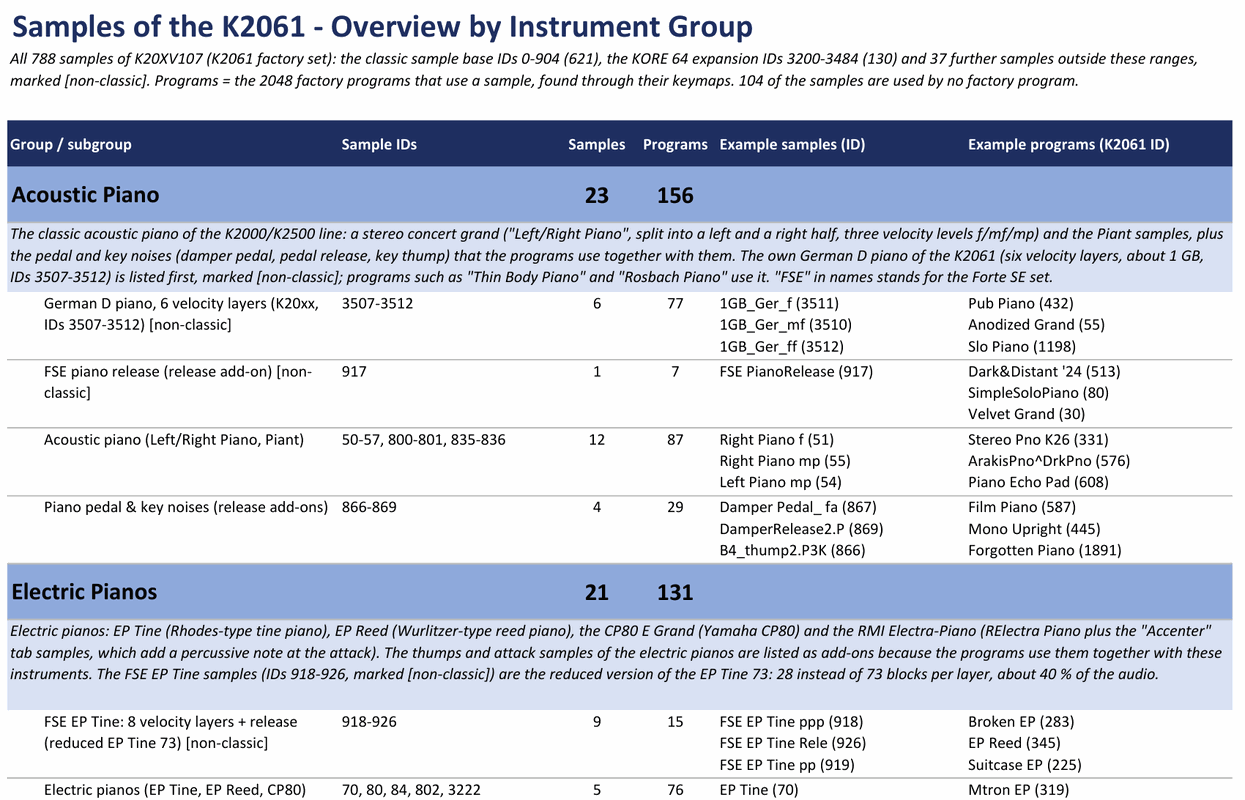
  1. The K2061 Samples Overview: a table by instrument group with sample IDs, number of samples and programs, and example samples and programs.

    Kurzweil K2061 Samples Overview v1

    The 788 factory samples of the K2061 sorted into instrument groups - acoustic and electric pianos, organs, strings, brass, guitars, drums, percussion, waveforms, sound effects and more. For each group and subgroup the sheet gives the sample IDs, the number of samples, how many of the 2048 factory programs use them, and example samples and example programs with their IDs.

    The PDF is the compact overview by group. The Excel file adds the detailed data: one row for every sample with its ID, group, number of keymaps and programs that use it, plus the notes on how the groups were made.

    Only names and references were analysed, not the sound, so the grouping is deliberately coarse and brand names are marked as probable. 104 of the samples are used by no factory program.

    Which keyboard carries which samples is shown in the Samples Overview of the Kurzweil Samples Guide on the Guides page.
    Download sheet → Overview (PDF) → Samples Guide →
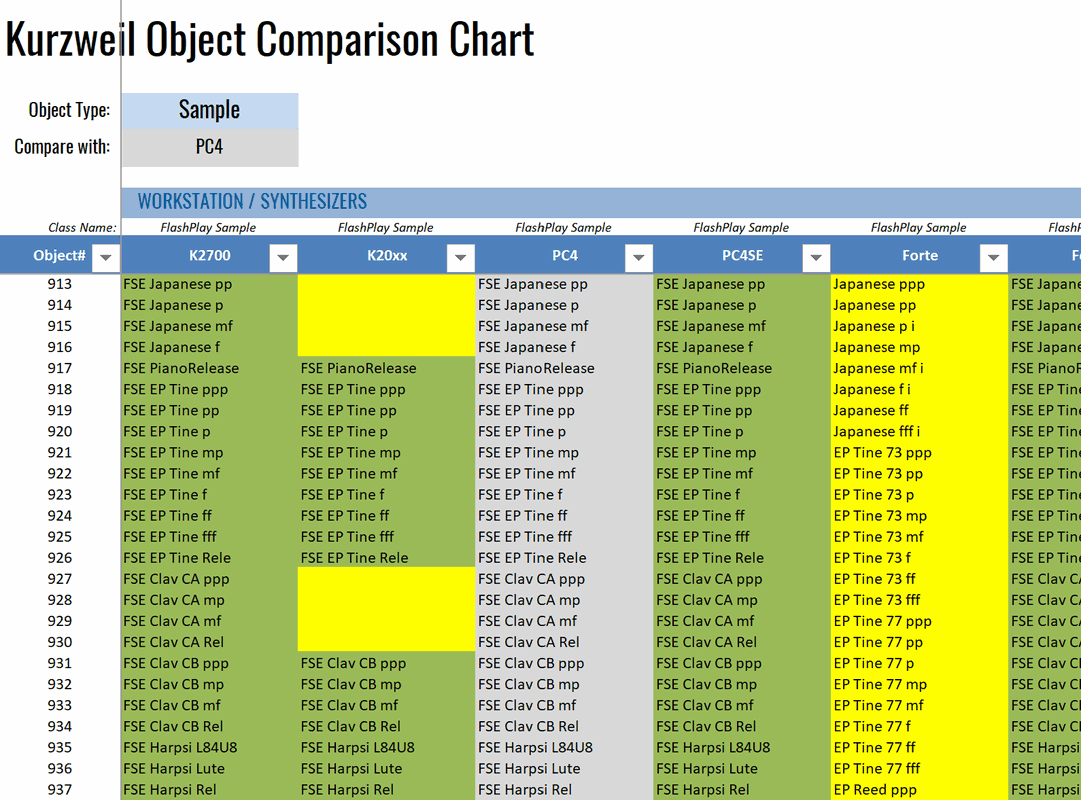
  2. The Object Comparison Chart: one row per object ID, one column per keyboard, cells green where the name matches the reference model and yellow where it differs.

    Kurzweil Object Comparison v11

    Pick an object type and a reference model, and the chart lays every keyboard side by side: one row per object ID, one column per model, so you can see at a glance what a given ID holds on each instrument.

    The comparison is by name alone. A cell turns green when the name matches the reference model and yellow when it does not — an empty yellow cell means the model has nothing under that ID at all.

    Two versions are available. The full one covers the Pro workstations from the PC3 up to the K2061/2088, the SP4 through SP8, and the Artis models. The LK version (less keyboards) is the leaner sheet and compares the K2700, K20xx, PC4, PC4SE, Forte, PC3A, SP8 and SP6.

    All keyboards → LK version →
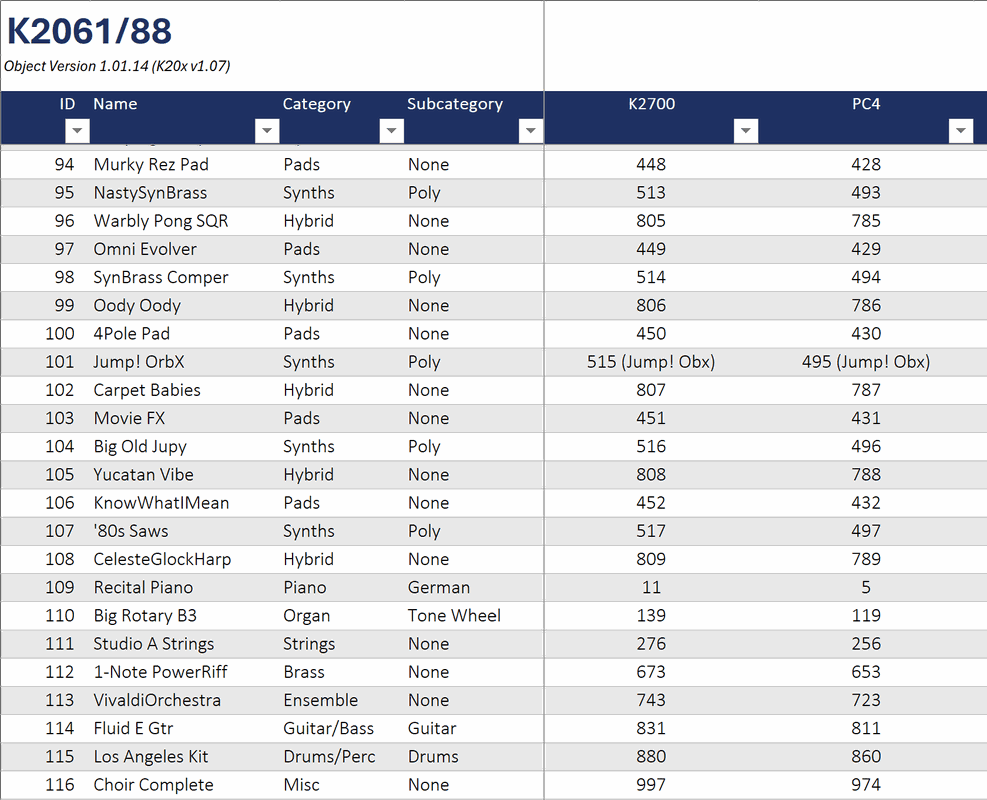
  3. The Program ID Finder sheet: one row per program, with the ID it carries on the K2700 and the PC4 beside its name and category.

    Kurzweil Program ID Finder

    Look up the Program ID a sound carries on every other Kurzweil model — the sheet that makes migrating from one keyboard to another straightforward.

    Download sheet →
  4. The FX chain editor on the instrument: nine effect blocks — phaser, filter, delay, compressor, chorus — wired in series, 18 units in total.

    Kurzweil FX Presets & Algorithms

    This overview lists the built-in FX presets and algorithms on Kurzweil instruments — ready-made effects like reverbs, delays, choruses and distortions, each with a short (non-binding) description of what it does.

    Download sheet →