KURZKEYSITE

Guides

In-depth guides on how Kurzweil keyboards work and how to get the most out of yours — background to read and to keep.

Sort by
3 entries
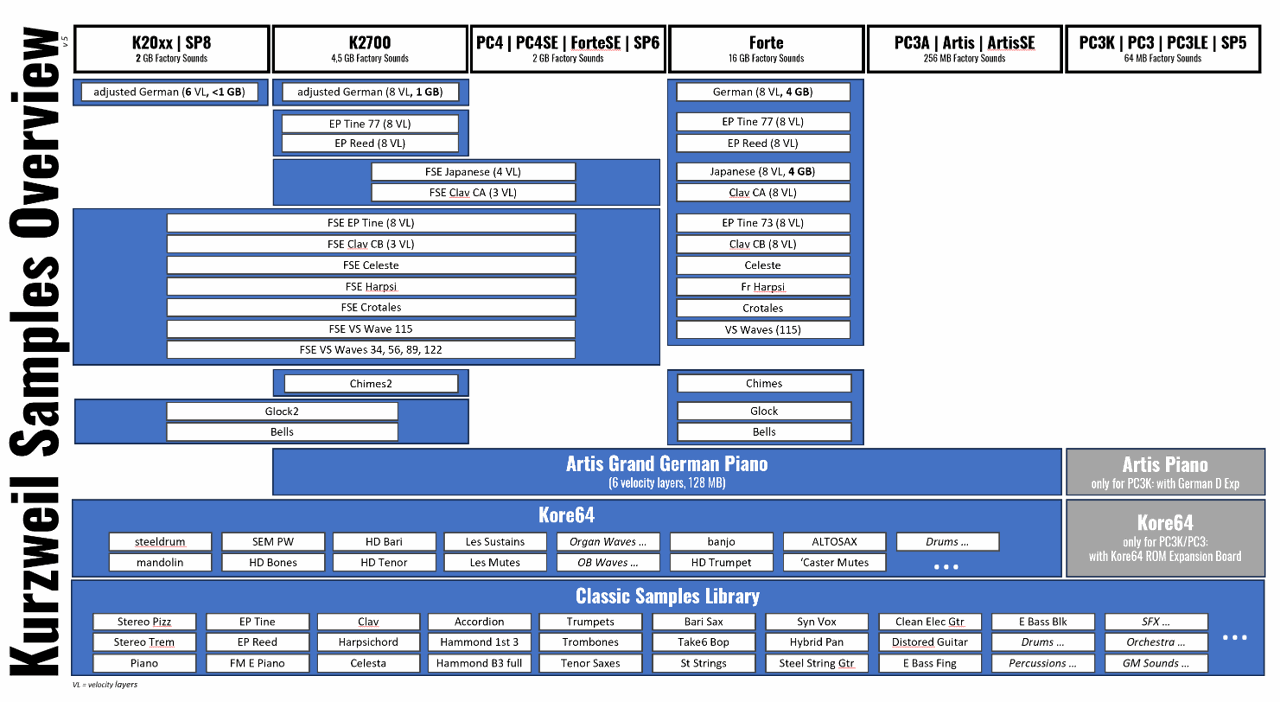
  1. Kurzweil Samples Overview: a column per keyboard family with blue bars showing which factory sample sets each one carries.

    Kurzweil Samples Guide

    What factory and user samples are, how much sample memory each Kurzweil keyboard has, and a close look at the samples that matter most. Part 1 covers the pianos (Triple Strike, German D, Japanese C7), the electric pianos with tine and reed techniques, the clavier instruments, the mallets and percussion, and the vector synthesis waveforms - with a table of which keyboard has which sample.

    The Kurzweil Samples Overview is part of the guide and also available as a picture: a column per group of keyboards, with a blue bar wherever the samples are available. A bar over several columns means the same samples on all of them.

    To see what the K2061 actually carries, the K2061 Samples Overview on the Sheets page lists all 788 factory samples of the K2061 by instrument group.

    Open guide → Samples Overview → K2061 sample list →
  2. The words Categories & Subcategories Guide over a photo of the Category buttons of a Kurzweil keyboard, seen at an angle.

    Kurzweil Categories & Subcategories

    How Kurzweil keyboards sort their programs: the Category buttons, the Category Default Program, and what a subcategory is. The keyboard shows no subcategory number - only the display background tells it, and on the keyboard itself it can be neither changed nor used to filter.

    The guide shows every background picture with its category and subcategory number, for the PC4 generation (PC4, K2700, K2061/K2088) and for the Forte, whose numbering differs from category 5 on. A table at the end compares the category numbers of all model families.

    Open guide →
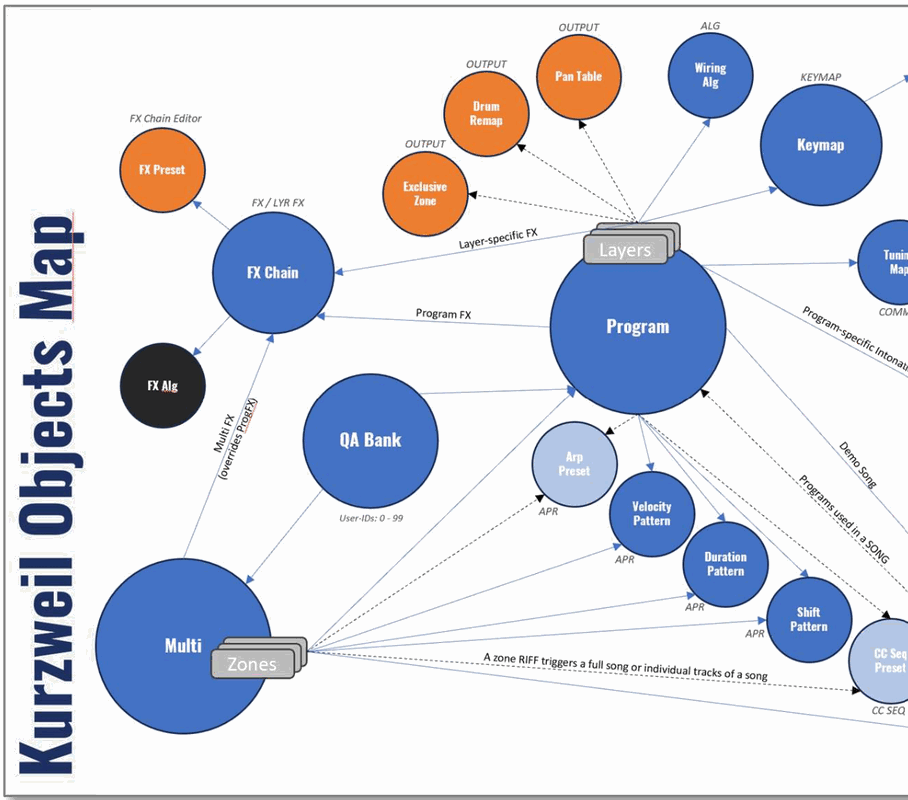
  3. The Kurzweil Object Map: the object types as circles, with labelled arrows showing which one depends on which.

    Kurzweil Object Guide v1.3

    What the object types inside a Kurzweil instrument are and how they depend on each other — programs, multis, keymaps, samples, FX chains and the rest. The guide explains them; the map shows the whole web at a glance.

    Open guide → Open map →